A bookmark library leads a complicated life now. It gets built on a work laptop, consulted on a phone in a queue, added to from a tablet at night. Then a device dies, or a browser signs you out, or a colleague asks for "your links on that topic" — and three questions land at once. Is my library the same everywhere? Is it safe if something fails? Can I hand over a piece of it without handing over all of it?
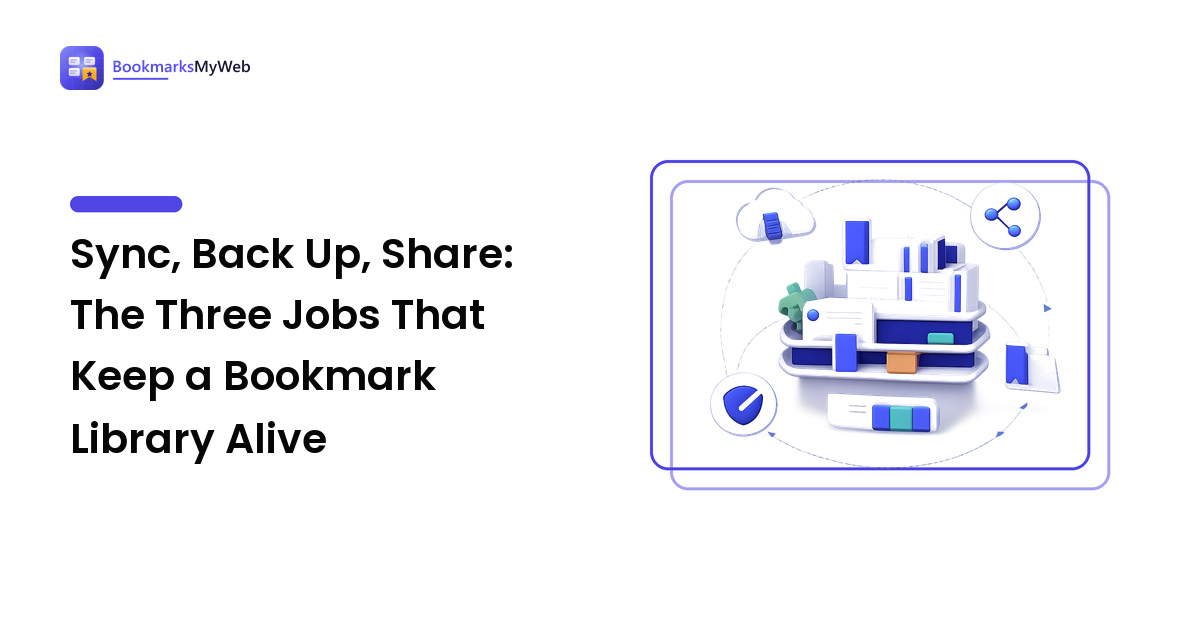
Those are three different jobs, and it pays to name them separately: sync keeps the library present on every device, a backup keeps it recoverable when an account or a service fails, and sharing exposes a chosen slice to someone else. Almost every tool blurs them — browsers call sync "backup," managers call sharing "collaboration" — and the blurring is where libraries get lost.
The takeaway up front: a library you can trust has all three properties, and no single feature provides them. Sync is not a backup, a backup is not sharing, and sharing is not sync. Cover each job on its own terms and the whole system takes maybe an hour to set up, most of it once.
Decision zero: where the canonical copy lives
Before any syncing or sharing, a library needs a center of gravity — the one place that is the library, which every device mirrors and every export copies. That home might be a browser account, a dedicated bookmark manager, or your notes app; each is right for a different kind of saver, and the trade-offs get a full treatment in where your saved links should live.
For this guide, the point is narrower: pick one home deliberately. A library with two homes is really two libraries, and they will disagree — you will save a page on your phone, fail to find it on your laptop, and conclude the system doesn't work. Every job below assumes there is a single canonical copy to sync from, back up, and share out of.
Job one: presence — the same library on every device
Sync is a mirror, not a copy. When it works, a page saved on one device appears on the rest within moments, and that is the whole promise: presence, everywhere, without thinking about it.
The mirror framing matters because it tells you what sync will faithfully do with a mistake. Delete a folder on the tablet and the deletion propagates just as smoothly as a save. Sync has no opinion about whether a change was wise; it only cares that every device agrees. That is exactly what you want from presence, and exactly what disqualifies it as protection.
There are a handful of genuinely different ways to get bookmarks onto every device — staying inside one browser's account, using a dedicated manager with apps and extensions, and a couple of others — and the right one depends on whether your devices share a browser family and how you feel about the account holding the data. The methods, the choosing, and the setup that avoids duplicates are covered in how to sync bookmarks across devices.
At the map level, two rules carry most of the weight. First, sync from the home — every device mirrors the canonical copy, rather than devices trading changes among themselves through import/export cycles, which is how duplicates breed. Second, verify the quiet device. Sync failures are silent; the phone that hasn't synced in a month looks fine until you need it. When you set sync up, save a test page on each device and watch it arrive on the others.
Job two: recoverability — a copy nobody can take away
Here is the scenario sync cannot help with: your account gets locked, or the service you chose shuts down, or you delete the wrong folder and the mirror does its faithful work everywhere. In each case every copy sync made is gone or inaccessible at the same moment, because they were never independent copies — they were reflections of one thing.
A backup is different in kind: a file, in an open format, in a place you control, that no account status can touch. For bookmarks that means an export — nearly every browser and manager can produce one, usually as an HTML file any other tool can import. Where to store it, how often to refresh it, and how to make restoring actually work are covered step by step in how to back up and export your bookmarks.
One distinction belongs at the map level, because it changes what "backed up" means: an export saves your links, not the pages behind them. If the page itself disappears — and pages do — a perfectly backed-up bookmark points at nothing. For the saves you genuinely could not stand to lose, keep a readable copy of the content too; the honest options are compared in how to save web pages for offline reading.
If you adopt only one habit from this entire guide, adopt the export. It is the cheapest insurance in this whole territory — a few clicks, a file, done — and it converts every catastrophe above from a loss into an inconvenience.
Job three: sharing — a slice, not the shelf
Sharing pulls against the other two jobs. Sync and backup both want the library whole and consistent; sharing wants to expose exactly one part of it and nothing else. A research library is personal — it records what you were curious about, what you were worried about, what you were planning — and "here are my links on this topic" should never quietly become "here is a window into my saves."
The mechanics that make this safe are subsetting: sharing a folder, a tag, or a named collection rather than an account. Which mechanism fits which situation — the one-off handoff, the living reference, the collaborative list, the public page — and what a shared link actually reveals about you are worked through in how to share a bookmark collection without sharing your whole library.
The map-level rule: know whether you are sharing a snapshot or a live view. A snapshot — an exported file, a copied list — freezes the collection at the moment of sharing, and nothing you do later touches it. A live link keeps updating as you add and prune: useful for an ongoing reference, and worth remembering before you add something to that collection you'd rather keep to yourself.
Putting the three jobs together
The order matters, because each job builds on the last:
- Choose the home. One canonical copy, in a tool that can export — that last clause is your exit and your backup rolled into one requirement.
- Switch on sync on every device where you read or save, and verify each one with a test save.
- Put an export on the calendar. A recurring reminder beats good intentions; the file only helps if it's newer than the mistake.
- Share by named subset only, and keep one collection per audience rather than reshaping your private structure to suit someone else.
Run it this way and each job covers the others' blind spots. Sync spreads the library; the backup survives whatever happens to the synced copies; sharing exposes slices without ever putting the library itself at risk.
The failure modes this design survives
It is worth being explicit about what all this buys you, because each piece earns its place against a specific, common failure:
- The faithful deletion. A wrong delete propagates everywhere sync reaches. The export from step 3 is the only copy that doesn't obey.
- The locked account. Password trouble or a policy decision takes every synced device offline at once. The file in your own storage doesn't ask permission.
- The retired service. Bookmark tools do shut down. An open export format means moving is an import, not a rebuild.
- The duplicate explosion. Two homes, or devices trading exports, breed near-identical entries until search becomes useless. One canonical home prevents it structurally.
- The dead page. A link can outlive its target. Offline copies of the irreplaceable few make the library durable, not just the list.
None of these is exotic. Most heavy savers meet at least one of them eventually; the difference between an annoyance and a loss is whether the three jobs were covered before it happened.
FAQ
Is my browser's built-in sync enough? For presence, often yes — if all your devices run the same browser family, it is the simplest working option. It only becomes a problem when it's treated as the backup and the sharing mechanism too. Pair it with a regular export and it covers its job well.
How often should I export my bookmarks? On a schedule you'll keep rather than a perfect one — and immediately after any burst of saving you'd hate to redo. The export only protects what existed when it was made, so its value decays as the library grows past it.
Can I sync between two different browsers? Not with either browser's built-in sync, which stays inside its own family. Bridging browsers is a job for a dedicated manager with extensions on both sides — one of the situations covered in the sync guide above.
If I delete a bookmark, does it vanish from collections I've shared? From a live shared view, yes — the link shows the collection as it currently stands. A snapshot share keeps whatever it contained when you made it. Check which kind your tool creates before you prune.
Sync makes a library present, a backup makes it recoverable, and careful sharing makes it useful to more people than you — and no tool does all three for you by default. Give your library one home this week, switch on the mirror, schedule the export, and share by the slice. For more on building a web library that lasts, visit BookmarksMyWeb.