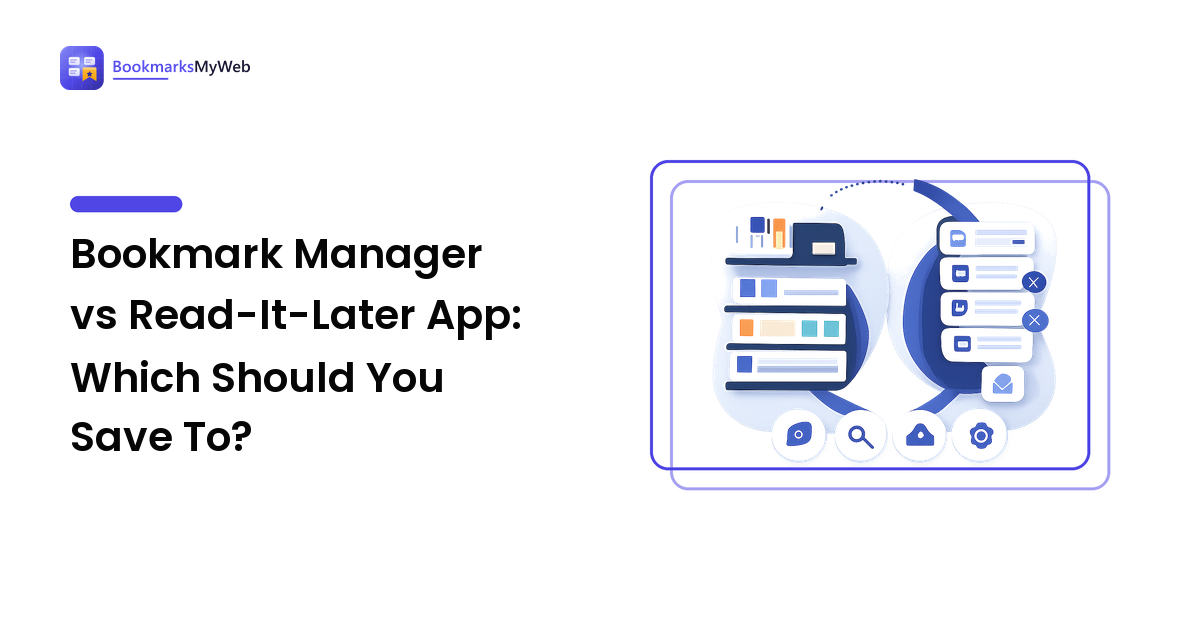
A bookmark manager and a read-it-later app both save web pages, but they are built for opposite jobs. A read-it-later app is a queue you empty — pages you intend to read once, then discard. A bookmark manager is a library you keep — pages you expect to need again months later. Most heavy savers need both, used deliberately, not one tool stretched across both jobs.
That distinction sounds academic until it collapses. You send everything to your reading app, the queue swells past a hundred items, and it stops feeling like a to-do list and starts feeling like a debt. Or you bookmark everything, and the reference you genuinely need is buried under forty articles you skimmed once. The tool is not failing — it is being asked to do a job it was not shaped for.
What is the actual difference between the two?
The difference is the expected lifespan of a save, and every feature follows from it.
A read-it-later app assumes each item is temporary. So it optimises for the reading experience: it strips the page to clean text, syncs that text for offline access, tracks what you have finished, and gets items out of the list. Archiving is a first-class action because emptying is the point.
A bookmark manager assumes each item is permanent. So it optimises for retrieval months later: tags, full-text search across everything you ever saved, folders or collections, duplicate detection, link-rot checks. Nothing is meant to leave. There is no "done" state, because a reference does not get consumed.
Put simply: a reading app measures success by how few items remain; a bookmark manager measures it by how fast you find one among thousands. Those are incompatible design goals, which is why tools that promise both usually do one well and the other adequately.
How do they compare feature by feature?
| Read-it-later app | Bookmark manager | |
|---|---|---|
| Core job | Empty a reading queue | Keep a findable library |
| Expected lifespan of a save | Days to weeks | Months to years |
| What gets stored | Article text, extracted and reformatted | The link, plus tags and metadata; sometimes a cached copy |
| Reading experience | Central — clean view, typography, often text-to-speech | Incidental — usually opens the live page |
| Offline access | Standard; text is downloaded to the device | Varies; often link-only, so no network means no page |
| Organisation model | Light — a queue, an archive, a few tags | Deep — tags, collections, hierarchies, saved searches |
| Search | Usually within a smaller, recent set | Full-text across the whole library, the headline feature |
| Handles non-article pages | Poorly — tools, dashboards, PDFs, videos break extraction | Well — a link is a link, whatever is behind it |
| Success looks like | An empty list | A page found in five seconds |
| Typical cost | Free tier, paid for offline/highlights/audio | Free tier, paid for storage, archiving, and team sharing |
| Fails when | The queue grows past what you can read | You never tag, so search returns nothing useful |
The row that decides most cases is what gets stored. If a tool keeps only the URL, the save is a pointer that can rot when the site changes or disappears. If it keeps the extracted text, you own a readable copy that survives the source — but only for pages that extract cleanly, which excludes most tools, dashboards, and interactive pages. That trade-off is covered in more depth in the guide to saving web pages for offline reading.
Which one should you use for a given page?
Ask one question at save time: am I going to consume this, or consult it?
Send it to the reading queue when the page is an article, essay, or long post you intend to read once; when you found it at a bad moment and want it waiting on your commute; or when you are closing tabs to clear your head. The read-it-later guide covers the capture habits that make this stick.
Send it to the library when the page is documentation, a tool, a template, a supplier, or a reference you will want again; when it belongs to an ongoing project rather than a single sitting; or when the value is in being able to find it later, not in reading it now.
Two rules keep the split honest. First, an article you have read and want to keep should move from the queue to the library — that is the one legitimate hand-off between the tools, and it is what stops your reading list from becoming a graveyard. Second, never save a page to both as a hedge. Duplicates across two systems mean neither is trustworthy, and you will end up checking both every time.
Can one tool do both jobs?
Sometimes, and it is worth being honest about when.
Several bookmark managers now include a reading view and an archive state, and several read-it-later apps have added tags and full-text search. Convergence is real. If you save modestly — a few pages a week, mostly articles — one tool with both features will serve you fine, and one tool is genuinely easier to maintain than two. Adding software to a workflow that already works is a cost, not a win.
The single-tool approach breaks at volume and variety. Once you are saving hundreds of pages, a mixed pile of long reads and reference links, the queue and the library start fighting: unread articles bury your references, or your references make the reading list too intimidating to open. At that point the split pays for itself, because each tool can finally do what it is shaped for.
The verdict: if you mostly read, start with a read-it-later app and let a browser folder hold the few references you keep. If you mostly reference, start with a bookmark manager and accept a plainer reading experience. If you genuinely do both at volume, run one of each with a clear rule for which gets what — the two-tool split beats one overloaded tool, but only if the routing rule is automatic. Choosing the library half is a bigger decision, and the bookmark manager buying guide walks through the criteria that matter.
How do you set up the split without maintenance overhead?
Keep it to four steps, and give it a fortnight before you judge it.
- Name each tool's job out loud. "This app is my reading queue. This one is my library." Written down, the rule survives busy weeks.
- Put both capture shortcuts within one action. A browser extension and a mobile share-sheet entry for each. If saving to the library is slower than saving to the queue, everything drifts into the queue.
- Tag at save time, in the library only. Two or three words your future self will search for — not a taxonomy. The tags-over-folders approach is what makes retrieval work at scale, and resurfacing what you saved depends on it entirely.
- Run a ten-minute weekly pass. Archive what you read, promote the keepers into the library, and delete what you no longer want. The queue only stays useful if something drains it.
That is the whole system. No dashboards, no elaborate structure — just one queue that empties and one library that grows.
FAQ
Do I really need both a bookmark manager and a read-it-later app? Not necessarily. If you save fewer than a handful of pages a week and they are mostly articles, one tool with a reading view and basic tags is enough. The split earns its keep when your saves are high-volume and mixed — long reads alongside references — because the two kinds start crowding each other out.
Can I just use my browser's bookmarks for both? Browser bookmarks are a decent lightweight library: free, private, and already installed. They are a poor reading queue, because there is no archive state, no reading view, and no offline text — so read and unread items sit together forever. Many people run browser bookmarks as the library and add a reading app for the queue.
What happens to my saves if a tool shuts down? This is the strongest argument for exporting regularly. Bookmark managers almost always export to HTML or JSON. Read-it-later apps usually export a link list, but the extracted article text is often left behind — so treat archived reading-app content as convenient, not permanent, and keep anything genuinely important in a tool that exports what it stored.
Is a notes app a reasonable substitute for either? Only for a narrow slice. Notes apps are excellent when you save a page and write something about it — a quote, an argument, your reasoning. They are weak at fast capture and at holding hundreds of bare links, since every save expects a note. Use notes for pages you have thought about, not for the pages you have merely kept.
How do I stop my reading queue from becoming an infinite backlog? Cap it. Pick a number you can actually read in a fortnight — twenty is common — and when you exceed it, clear the oldest items without reading them. If something has waited a month untouched, you were never going to read it. Deleting it costs nothing and restores the list's credibility.
Sort your next ten saves before you file them: consume or consult, queue or library. Then compare read-it-later apps and bookmark managers and pick one of each, for reasons you can name.