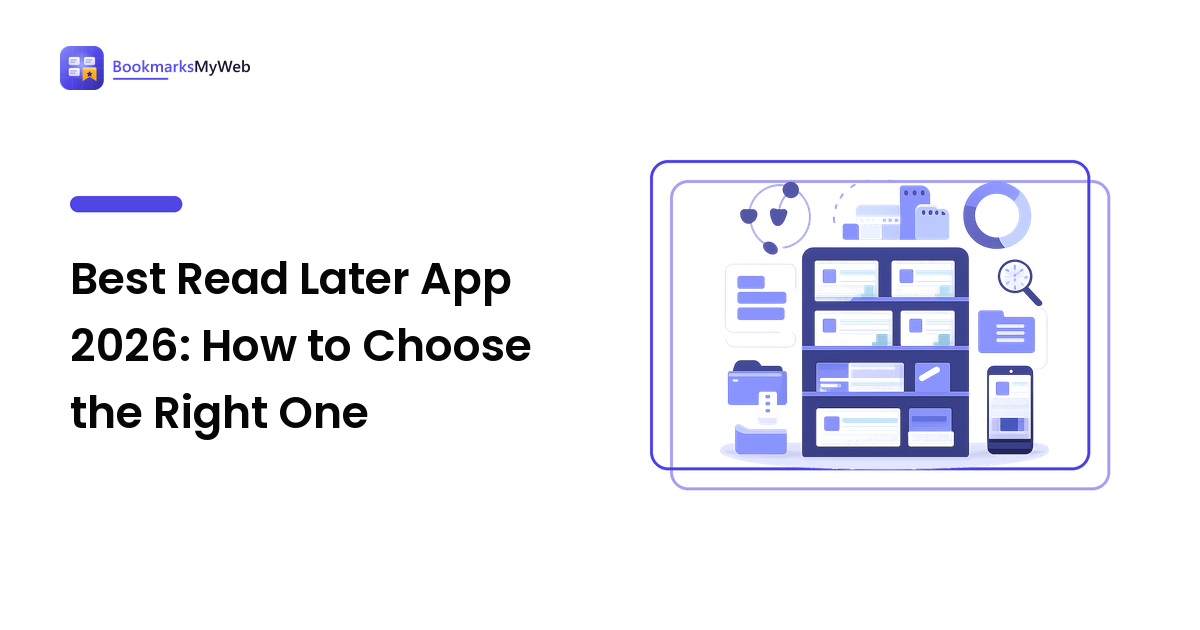
You keep finding good articles at the wrong moment — mid-commute, mid-meeting, ten tabs deep — so you leave them open and promise to get to them. By Friday the browser is a wall of half-read intentions. A read later app fixes that: one queue you send pages to and read from on purpose. If you are hunting for the best read later app 2026 has produced, the honest starting point is that there is no single winner — only the tool that matches how you capture, read, and clear.
So this guide skips the ranked list that pretends otherwise. Instead it covers what a read later app actually does, the types on offer, the criteria that decide your satisfaction, and a fifteen-minute test you can run on any candidate. Every recommendation states its reason, so you can weigh it against how you actually work.
What a read later app actually does
A read later app is a narrow, useful slice of saving the web: it captures articles, videos, and long pages you intend to read soon and keeps them separate from things you save to keep forever. Compared with an open tab, a dedicated tool usually adds three things:
- A clean reading view that strips ads, pop-ups, and clutter so only the text remains.
- Offline saving, so a page is there on a plane, a train, or a dead connection.
- A real queue you can sort, mark as read, and archive — instead of a row of identical tabs.
The distinction that matters is intent. A read later save says "I will read this and then be done." A long-term bookmark says "I want to find this again someday." A good read later app leans hard into the first job and does not pretend to be a permanent archive.
Best read later app 2026: why there is no single winner
Search "best read later app 2026" and you will find lists that crown one product. Ignore the crown. A heavy researcher clearing forty articles a week and a casual reader saving two long reads on Sunday need almost opposite tools. The researcher buys for search and speed; the casual reader buys for a calm reading view and nothing else.
So the useful question is not "which app is best?" but "best for what?" Name your priority first — offline reading, fast mobile capture, deep search, low cost, privacy — and the field narrows fast. The rest of this guide gives you the vocabulary to do that.
The main types of read later apps
Most tools fall into a few families. Each is good at something and pays for it somewhere else, so naming the family shortens your search.
| Type | Best for | Main trade-off |
|---|---|---|
| Dedicated read-it-later apps | Readers who mainly clear articles | Tuned for reading soon, weak as a long-term library |
| Cloud bookmark managers | Savers who also read and re-find later | More setup; reading view is secondary to storage |
| Browser built-in reading lists | Light savers in one browser | Basic queue, thin offline and search, siloed per browser |
| Note-taking apps with a web clipper | People who read beside their notes | Slower capture; the queue is a second-class feature |
| Self-hosted, open-source readers | Privacy and full ownership | You run, update, and back up the server yourself |
A few notes behind the table. Dedicated read-it-later apps win on capture and a distraction-free reading view — the reason most people want one at all. Cloud bookmark managers suit you if the same tool should both hold a long-term library and serve a reading queue, at the cost of a busier interface. Self-hosted readers are the honest answer when ownership is non-negotiable, if being your own IT department is acceptable. Pick the family that matches your priority, then compare products within it.
The criteria that decide the best read later app for you
Feature lists are long; the criteria that decide your satisfaction are short. Rank these yourself — the top two or three make the choice, and the rest are tie-breakers.
- Capture speed. How fast can you save from browser and phone? Friction at the moment of saving is what kills the habit.
- Reading view. Does it strip clutter and format text for comfortable reading? This is the core job; test it on a messy page.
- Offline access. Does it store the page, not just the link, so you can read without signal? Your insurance against a dead connection and link rot.
- Sync across devices. Does the same queue appear everywhere? You save on a phone and read on a laptop; a tool on one is half a tool.
- Search and organization. Can you find a saved piece by a word inside it, or only by title? This matters more as the queue grows.
- Export and longevity. Can you get all your saves out in a portable format? A tool you cannot leave owns you — worth checking after one 2025 favorite shut down and stranded queues.
- Cost and privacy. What does the paid tier buy at your real volume, and who can read your queue?
Best read later app vs best bookmarking app
People often search for the best read later app and the best bookmarking app as if they were the same. They overlap, but the intent differs. A read later app is a queue you empty — capture, read, archive, done. A bookmarking app is a library you keep — save, tag, and re-find for years.
If most of what you save is "read once and clear," a read later app fits and a full bookmark manager is overkill. If you keep returning to old saves as reference, a bookmarking app earns its place. Many people run both, or one cloud tool that does each job passably. For the full method on saving, tagging, and resurfacing what you keep, see the save for later guide — it covers the habit that makes any tool pay off.
What changed since the best read later app 2025 shortlists
If you are working from a best read later app 2025 roundup, two things are worth a fresh look before you commit. First, at least one long-standing favorite wound down, which stranded people who had never exported — so put export and a portable format higher on your must-have list than last year's lists did. Second, clean reading views and offline saving now show up in browser built-in reading lists and note apps too, so the gap between a dedicated app and a tool you already have is narrower. The lesson is not that any one app won; it is that lock-in is the real risk, and the ability to leave cleanly is the feature that ages best.
A quick note if you searched for the best saving account in Egypt
Some readers land here after searching for the best saving account in Egypt — a different kind of "saving" entirely. That is a banking question about interest rates and terms, and this is a guide to saving web pages, so we will not quote rates we cannot verify. If money is what you meant, check with licensed Egyptian banks directly for current figures. If you meant saving articles to read later, read on.
How to test any read later app in 15 minutes
Never commit on the strength of marketing. Most read later apps have a free tier — spend fifteen minutes putting each finalist through the same test, weighted toward the criteria you ranked highest.
- Save a page from your desktop in one click or shortcut, and time it. More than a few seconds and you will stop using it.
- Save a page from your phone. If you save on the go, clumsy mobile capture is a dealbreaker.
- Open the reading view on a cluttered article. Confirm it strips ads and formats text so the read is comfortable.
- Turn off your connection and open a saved item. This is the offline test many tools quietly fail.
- Search for a word inside a saved page, not in its title, and see whether it surfaces.
- Export your saves, then open the file to confirm a portable format you could import elsewhere.
- Check the queue on a second device to be sure sync does not drop items.
If a finalist fails a test you ranked as critical, drop it — no strength elsewhere makes up for a broken core function.
FAQ
What is the best read later app in 2026?
There is no single best. The right read later app depends on how you read: an article-clearer wants fast capture and a clean reading view, a researcher wants offline access and search, a privacy-first user wants ownership and export. Rank your top two or three needs and pick the tool that wins on those.
What is a read later app?
A read later app is a tool that saves articles and long pages to a queue you read on purpose, usually with a clutter-free reading view and offline access. It is built to be emptied — capture, read, archive — rather than to store a permanent library.
Is a read later app different from a bookmarking app?
Yes. A read later app is a queue you clear; a bookmarking app is a library you keep and re-find for years. They overlap, and some tools do both, but the intent is different — buy for the job you actually do most.
Are free read later apps good enough?
For most readers, yes. A free tier is enough to test capture, reading view, offline access, and sync against the checklist above. Upgrade only when you hit a specific wall — a save limit, no offline, no full-text search — so you pay for a feature you have felt the lack of.
Next step
You do not need to test ten apps or read every roundup. Write down the two or three things that matter most — capture speed, a clean reading view, offline access, clean export — then run a couple of read later apps through the fifteen-minute test and keep the one that wins, for a reason you can name. A tool chosen deliberately is one you will still be using next year, not abandoning next month. When you are ready to save with intent, start building your library at bookmarksmyweb.com.